How to play Danger Zone in CS2
Epidemic and his team have been working on something spectacular for a while. People know Epidemic for his Inspect Servers, but he and his developers have been working on something special for a while. It is a faithful recreation (but also a reimagined version) of Danger Zone in Counter-Strike 2.
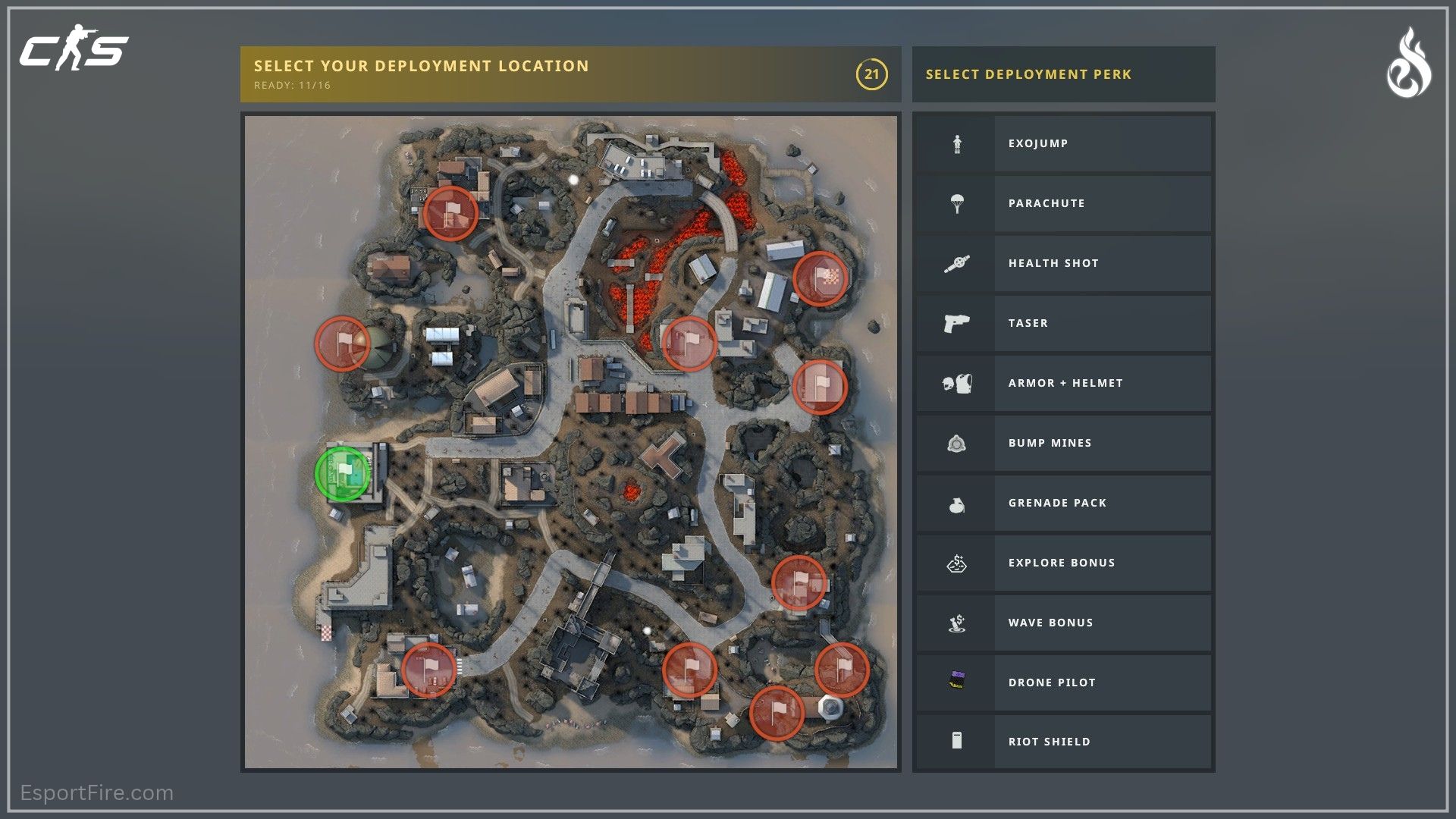
With plans to implement every Danger Zone feature, you can now finally play Danger Zone in Counter-Strike 2! In this article, we will walk you through how you can join a DZ server and what you have to do to finally play this beloved but niche Battle Royale mode in 2026. We will highlight a few features that have been either ported or fully recreated, and yes, the ExoJump Boots and Bump Mines are featured!
In this article, we'll show you how to play and join a Danger Zone lobby, what changes this community mod brings, and whether there are any risks to you or your account. A huge shoutout goes out to Epidemic and his team, but more on them later.
LET'S DROP RIGHT IN!
Can you play Danger Zone in CS2?
It is not an official CS2 game mode, but a faithful recreation by community members who love and adore Danger Zone.
What happened to Danger Zone?
- December 2018: Valve introduced Danger Zone in Counter-Strike: Global Offensive as a battle royale mode with looting, Tablets for buying items, supply drops, and shrinking zones.
- September 2023: Counter-Strike 2 replaced CS:GO, but Danger Zone was not included at launch (it still has not been added).
How do I join a Danger Zone Lobby in CS2?
Important!
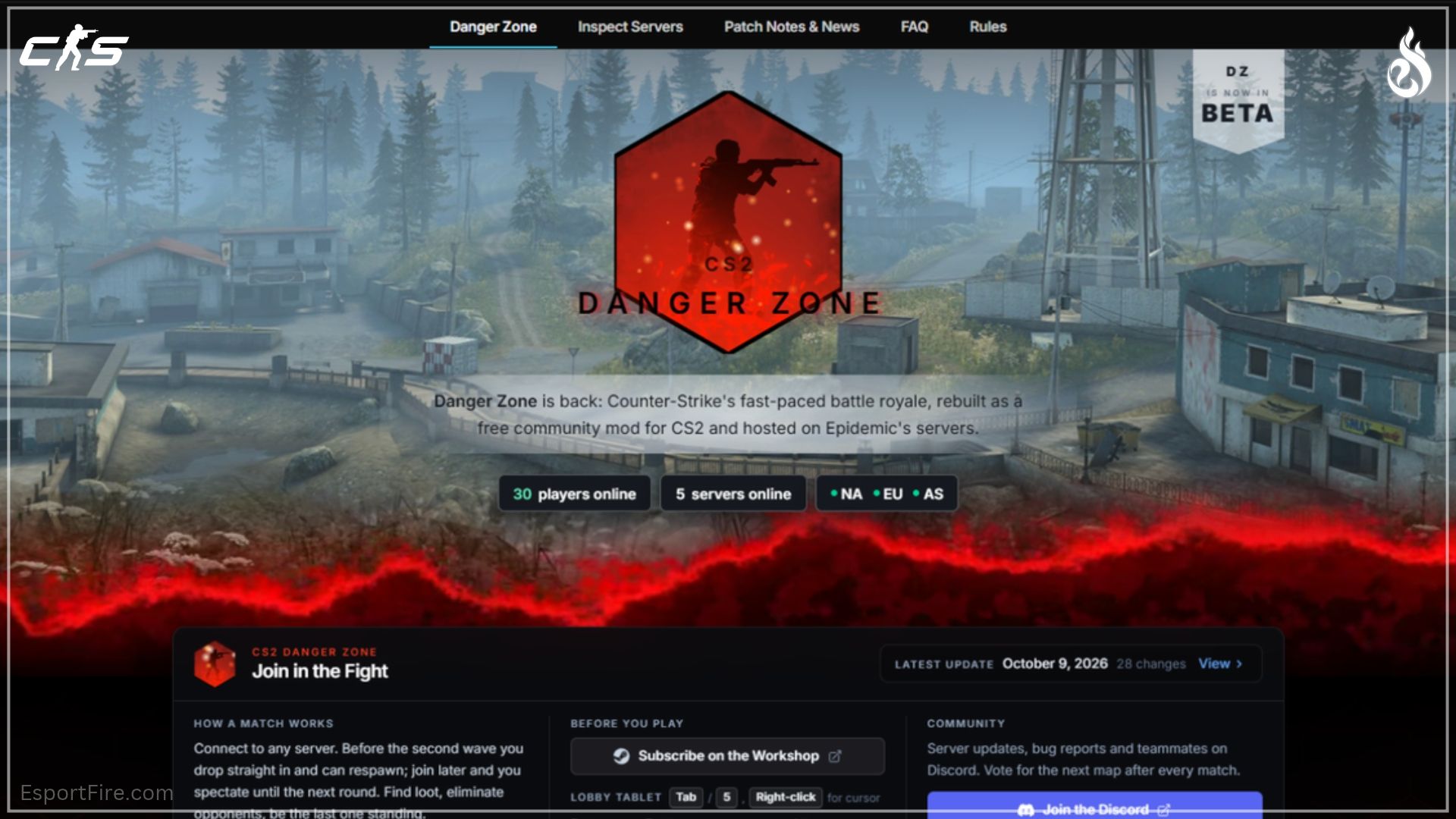
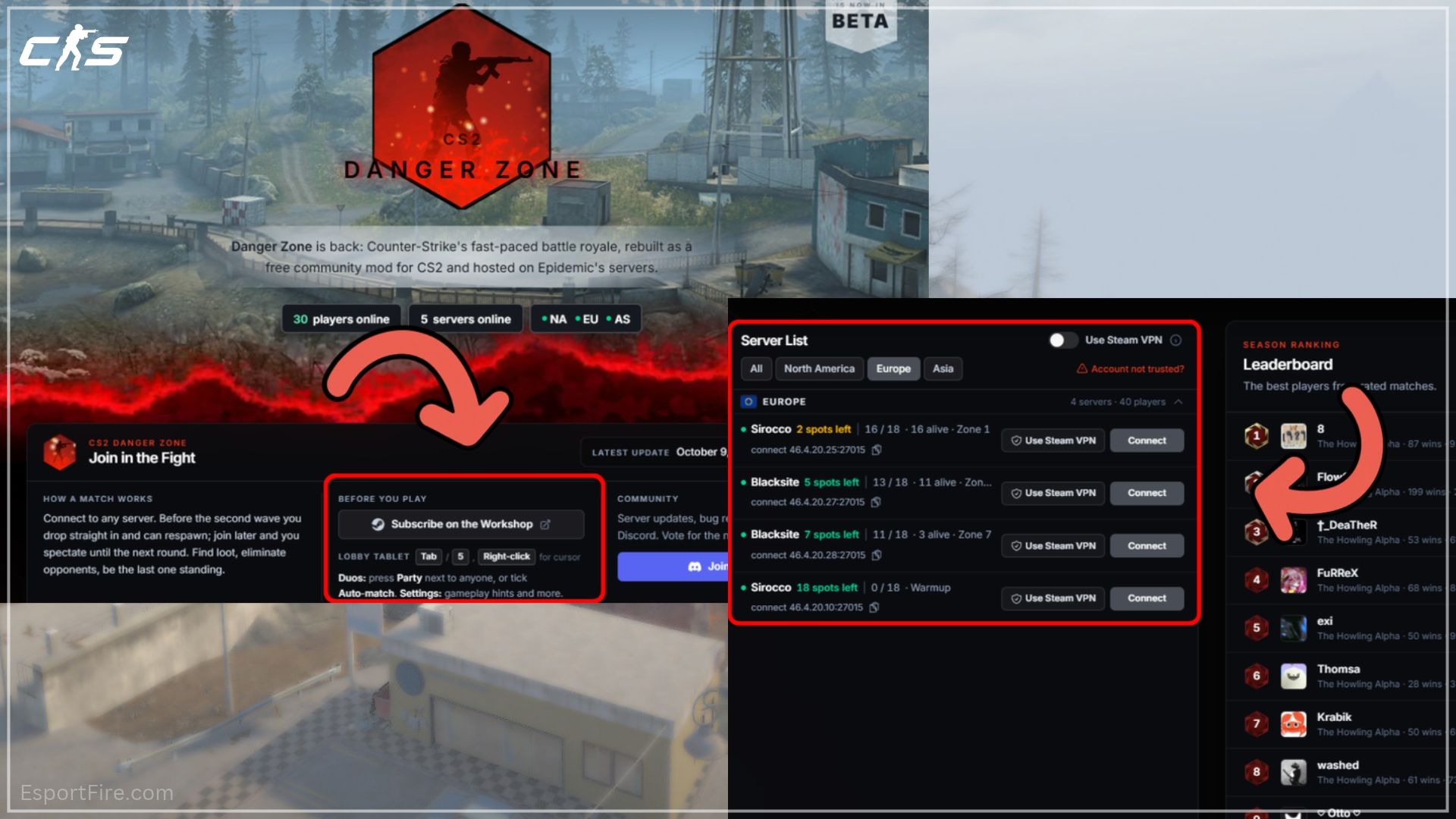
Before you play, you have to download the Epidemic.gg - Danger Zone Map pack, including the DZ maps Blacksite, Sirocco, Jungle and Ember.
After you have downloaded the Danger Zone maps on the Steam Workshop, you can join a game. There are “Trusted” and “Untrusted” accounts. If you want to learn how you can make your account into a “Trusted” account, read the next paragraph.
On the website https://epidemic.gg/dangerzone, you can see the servers; simply choose a server you want to connect to. You can either copy the server IP and paste it into your CS2 in-game console, or you can allow the website to “Connect” you to the server.
It really is as simple and streamlined as this! We suggest joining the Epidemic Discord server https://discord.com/invite/inspects for bug reports, finding teammates or just being part of a cool and dedicated community.
How do I get my Account trusted?
- Check your trust score
Look up your Steam account on csrep.gg. - You need at least 50
To play on our Danger Zone servers, your account needs a trust score of at least 50. Accounts below that are turned away with the “Account not trusted” error. - No score yet? 750+ hours is enough
Accounts without a trust score, with or without Prime, can still join with at least 750 hours in CS2. Your Steam game details must be set to public so the hours can be checked. - Wait about 10 minutes and connect again
If csrep.gg has no score for you yet, or your score just reached 50, try joining again in about 10 minutes. csrep.gg sometimes needs time to prepare your profile.
How to Play Danger Zone in 2026
- Go to https://epidemic.gg/dangerzone
- Download the Steam Workshop Maps
- Select a Server
- Connect and play the Game
What Servers are there for Danger Zone?
How a match works
“Connect to any server. Before the second wave, you drop straight in and can respawn; join later, and you spectate until the next round. Find loot, eliminate opponents, be the last one standing.”
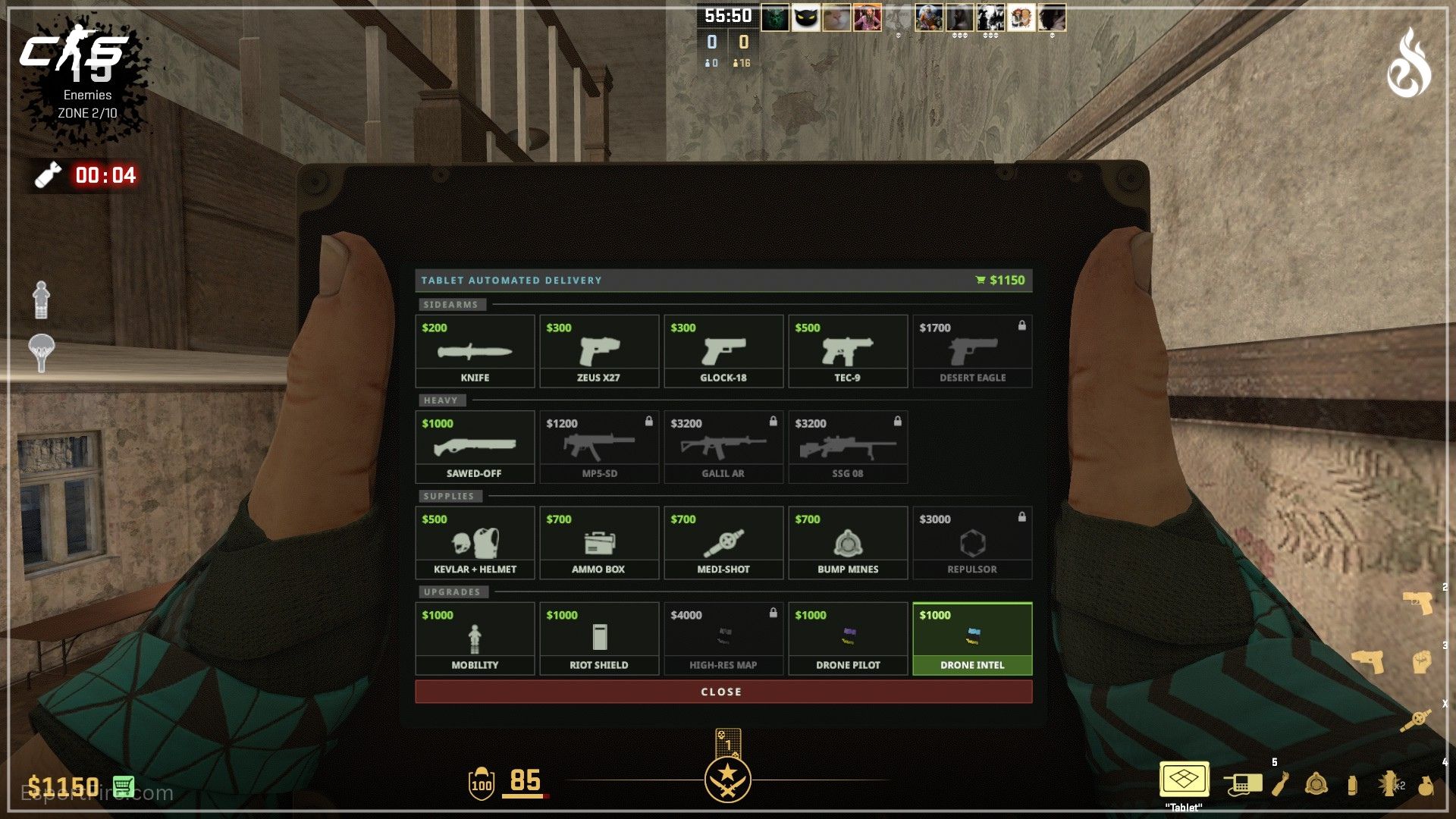
Do not forget that you can select a starting class, loot, buy items and tablet upgrades. Kill enemies to become the last one standing in this fast-paced Counter-Strike 2 Battle Royale!
How do I buy items and ammo in Danger Zone?
To buy items in Danger Zone, you have to press the buy button “B”, and you can now select the item you want. You can buy weapons, ammo, Medi-Shots or even Tablet upgrades!
Are there risks in joining a DZ server?
Playing on these servers should pose no risk to your account whatsoever, as it simply is a community server. The only risks might be on the side of the community mod team.
This Danger Zone mod is different from the one we saw a few years ago. While the other Danger Zone mod needed an extra launcher and application, everything from Epidemic’s mod is simply run on a community server. This poses no risk to your Steam account or your inventory and skins. It is completely safe to play this Danger Zone mod!
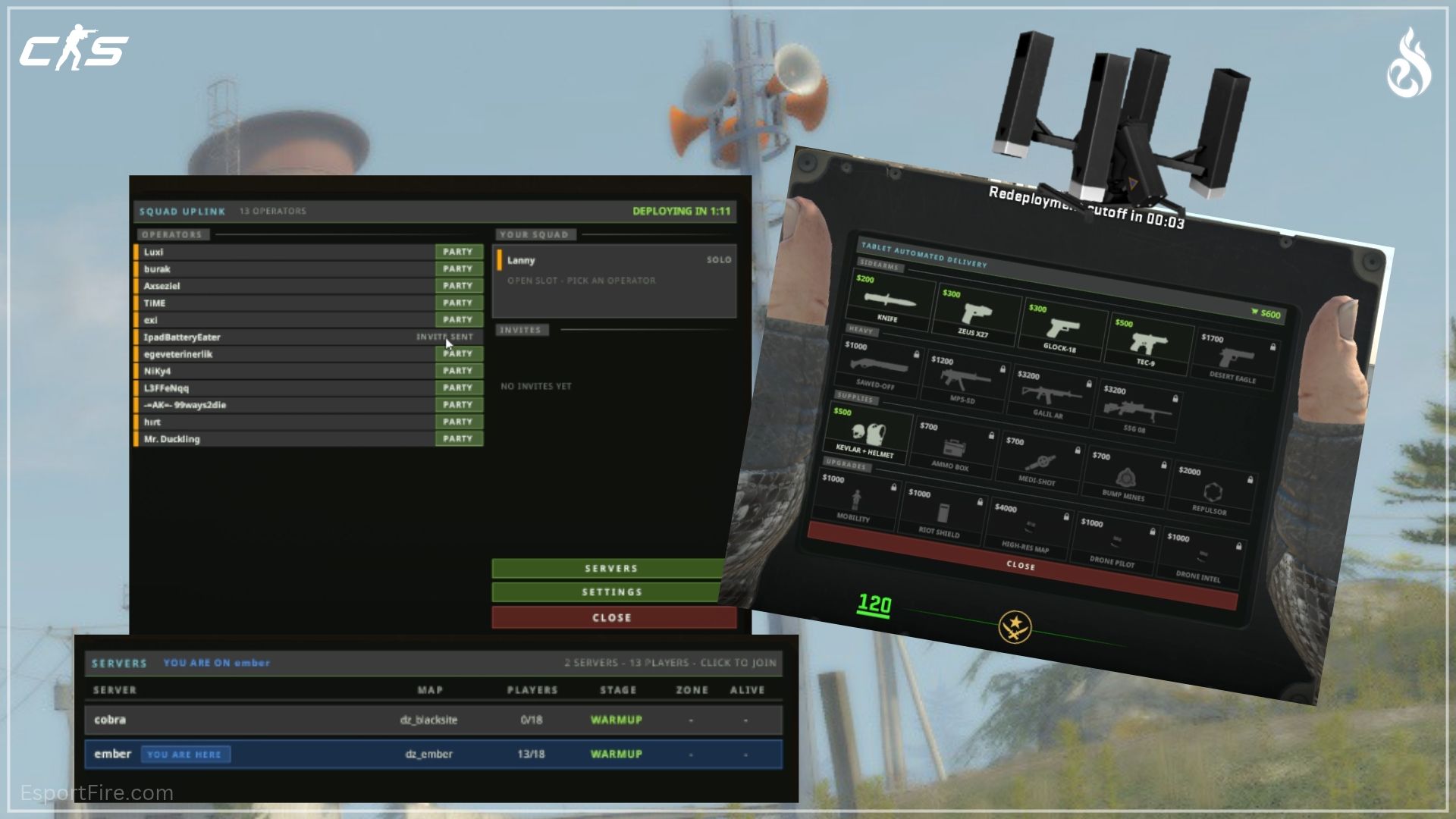
How do I play Duos with a friend?
From there, you can:
- Switch your lobby to Duos.
- Invite your friend to your duo.
- Tweak your settings.
What Maps are available on Epidemic’s Counter-Strike 2 Danger Zone?
There are a total of four DZ maps which are currently available and free to play. You have to download them from the Steam Community Workshop; a link can be found here https://steamcommunity.com/sharedfiles/filedetails/?id=3674441817. This mod isn't behind a paywall, but it is a beta version of the Danger Zone mod for CS2. All of this, with a lot of passion, and for free? You’ve gotta love these guys!
What are the differences compared to the original Danger Zone?
They have also added a drop menu, which makes it super convenient to drop your money and gear (such as the exo jump, which, by the way, works perfectly). If you are playing Solo in DZ, you get a “Repulsor”, which you can place down, and it will respawn you there instead of dropping back in again.
Missing features so far are the locked doors that you have to buy with your money, and turrets, but I doubt anyone actually misses them.
Here is a picture of the overhauled graphics for the Tablet. It has a lot more options which you can choose. Another change is that your “Fists”, that you spawn with, can now destroy big weapon crates. There is no need for a melee weapon when acquiring big guns.
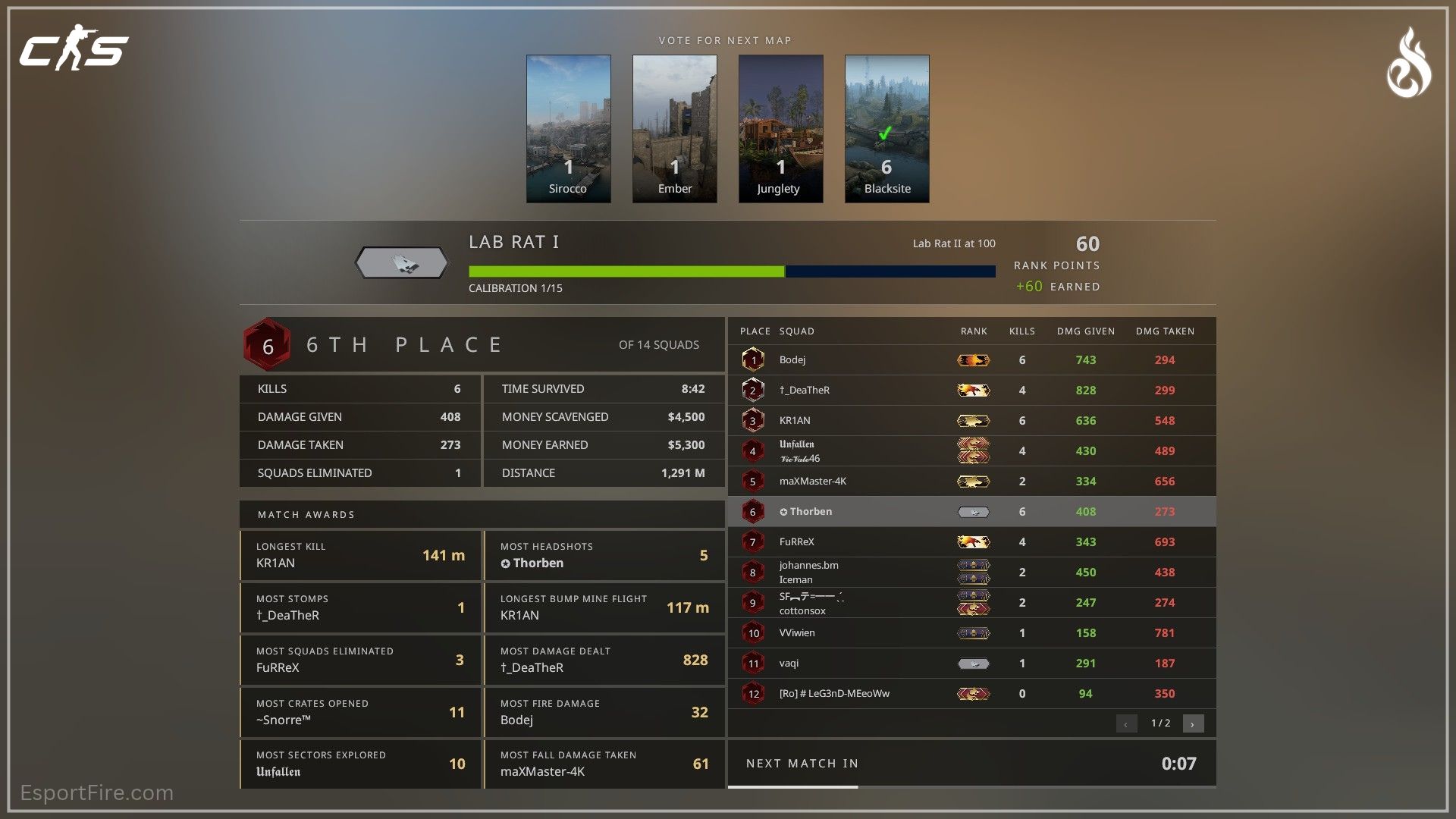
The Ranking System
Just like in Danger Zone, you can grind your way up from “Lab Rat”, “Sprinting Hare”, “Wild Scout”, “Hunter Fox”, “Hunter Fox Elite”, “Timber Wolf”, “Ember Wolf” to “Wildfire Wolf” and finally “The Howling Alpha”, one of the coolest and most unique ranks ever!
End Screen Game
Have fun grinding the ranks! Or how about trying some of the other Danger Zone maps in the map pool?
More about the Mod
“The primary source of motivation for this project came from our desire to try and break into custom game modes after some years of CS2Inspects. We feel like there's room for custom game modes made by the community to thrive within the Counter-Strike ecosystem.”
When being asked who worked on this mod, Epidemic replied that “in some way the whole team at CS2Inspects put some effort into it, but the majority of game modding was done by one of our co-founders, Mastah”.
Conclusion
Danger Zone is a mode worth trying out. When Valve does not take matters into their hands, a community of talented modders and developers come together to achieve something great! A big thank you goes out from our team to Epidemic and his team, who have made this all possible.
Links:
Danger Zone Website: https://epidemic.gg/dangerzone
Epidemic’s Discord: https://discord.com/invite/inspects